SETUP / PLAY ON PC
Girls Echo
on PC.
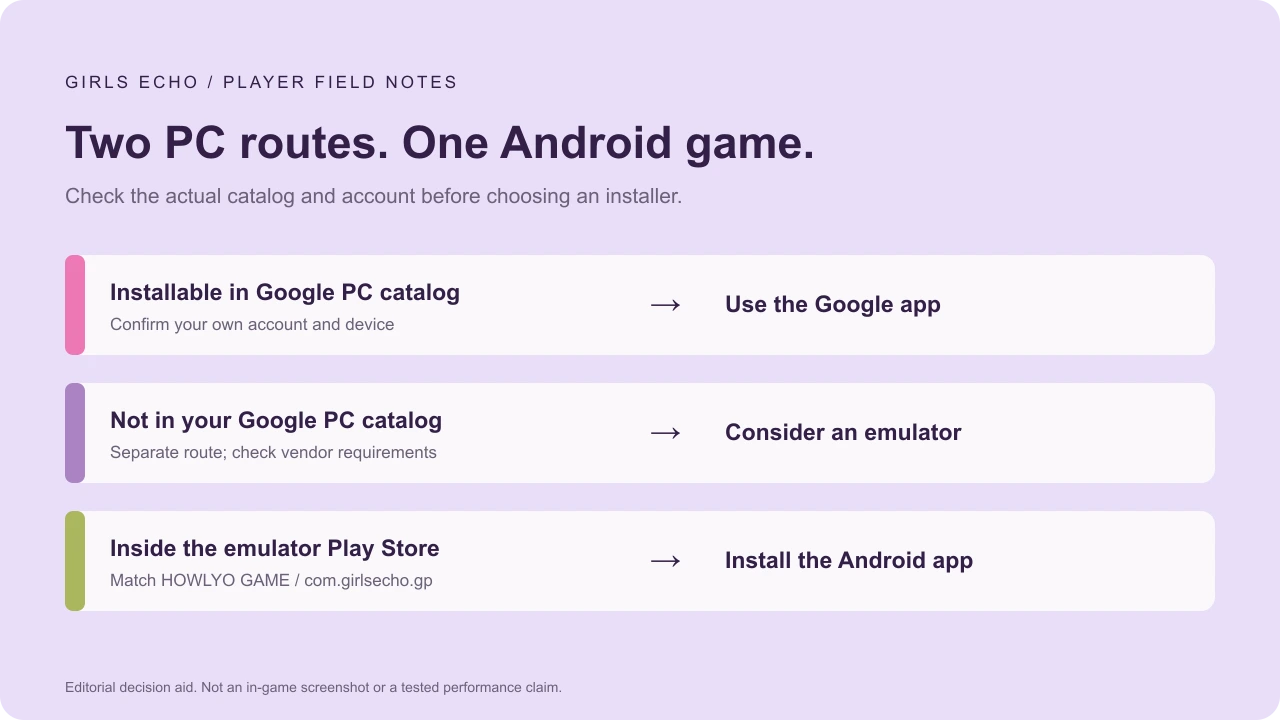
Check the Google Play Games on PC catalog using your own account. If Girls Echo is unavailable there, an Android emulator is a separate route: install the emulator, sign in to Google Play, and install the HOWLYO GAME app.[1][2][3]
Choose your installation route.
| Your situation | Next step | What it means |
|---|---|---|
| Installable in your Google PC app | Use the install action there. Google Play Games on PC ↗ (external site, opens in a new tab) | Available for that account and device; not a universal regional guarantee. |
| Not listed in your Google PC app | Consider the emulator steps below. BlueStacks installation ↗ (external site, opens in a new tab) | A separate Android installation route, not a native HOWLYO Windows client. |
| You want the mobile version | Use the official phone-store links. | The correct Android or iOS publisher listing. |
Install through an Android emulator.
This sequence follows BlueStacks’ Girls Echo page, modified October 15, 2026. It is vendor guidance; we have not benchmarked or run the game through it.[2]
- Download the emulator from its own site. BlueStacks · Girls Echo setup ↗ (external site, opens in a new tab). Check its current requirements before installing; these describe the emulator, not a native-game build.
- Open the emulator and sign in to Google Play. Complete sign-in within its Google flow.
- Search for Girls Echo. Match HOWLYO GAME and package
com.girlsecho.gpagainst the official Google Play listing ↗ (external site, opens in a new tab). - Install the Android app. Finish its first content download, then open it from the emulator’s home screen.
- Confirm your game account and server. Before spending or starting over, check that the character shown is the one you intend to use.
A vendor’s performance claims are not our test results. OS, graphics and device differences can change the outcome.
If setup does not work.
| What happens | What to check before changing route |
|---|---|
| You cannot find the game | The Google PC catalog and Android Play Store inside an emulator are different destinations. Absence from one does not prove absence from both. |
| The store says incompatible | Record the region, OS, emulator version and exact message. Check the provider’s current requirements instead of treating another download button as a native build. |
| A different character appears | Pause before spending. Confirm the sign-in and server. This guide does not establish cross-platform save support or recover an account. |
Emulator assistance: BlueStacks Support ↗ (external site, opens in a new tab). For game-account issues, Google Play lists howlyo888@outlook.com. Confirm that address against the listing before sending account-related information.[1]
Controls and your first session.
Start with basic pointer input and consult the emulator’s key-mapping help if needed. We have not verified a Girls Echo-specific keyboard layout, controller profile or optimal settings, so none is described as tested.
Setup is complete when the correct game and account open. Next, check the reported codes and follow the opening plan. Performance and account continuity still need checking on your device.
Sources & verification
- Google Play · HOWLYO GAME ↗ (external site, opens in a new tab)
Official Android identity, availability and description; checked October 22, 2026. Checked October 22, 2026.
- BlueStacks · Girls Echo installation ↗ (external site, opens in a new tab)
Emulator vendor instructions, modified October 15, 2026. Performance and compatibility are not guaranteed by this guide. Checked October 22, 2026.
- Google Play Games on PC · Google ↗ (external site, opens in a new tab)
Official PC app and catalog entry. Check availability using your supported account, region and device. Checked October 22, 2026.