
PROGRESSION / EXP & LEVEL GATES
Find the gate.
Then the resource.
If Adventure requires a Pilot level, check Pilot Records from Adventure and available idle or Quick Battle rewards. If a Phantom cannot level, inspect its EXP and breakthrough inputs instead. Gear stones and character shards solve different problems.[1][2]
Start with the message on your screen.
Choose the screen before the farming route. This table connects community help, progression data and feature conditions; it does not promise every progression wall can be bypassed immediately.
| The screen asks for… | What you are checking | Next action |
|---|---|---|
| A Pilot / Player level | Account progression | Read Adventure’s requirement and check available rewards that name Pilot Records. |
| Phantom EXP | Character leveling | Compare the level-up requirement with the shared EXP pool. |
| Breakthrough materials | A character checkpoint | Read the exact material and cost; more EXP alone may not finish it. |
| Shards or star advancement | Character star progression | Inspect the Star Rating / advancement screen instead of an account-level target. |
| Equipment enhancement material | Spirit Gear | Match the gear upgrade’s named item to the reward being collected. |
| A Server Day condition | Feature availability | Check it along with any player-level requirement. Spending EXP does not establish that the day condition is met. |
The community client-data project describes Phantom EXP as a shared pool, while breakthroughs and star advancement have separate inputs.[2] Identify those inputs before using a reward.
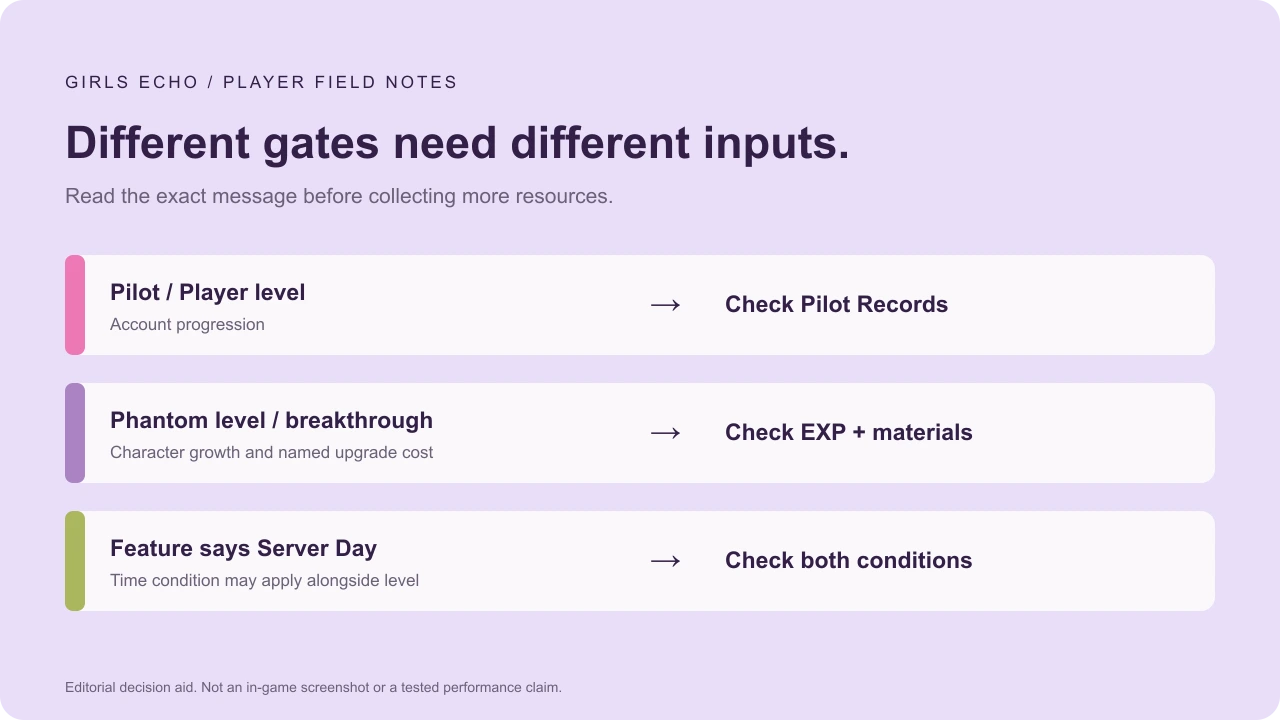
Match the shortage to an available source.
The help names Adventure as a source of Pilot Records, with idle rewards and Quick Battle as alternatives when level-gated.[1] The condition table identifies Calamity Simulation as a Phantom EXP source.[3] Those rewards are different even when both are called “EXP” in casual advice.
Read the Adventure gate.
Collect an available reward that names Pilot Records, then check your account level again. Do not assume a Phantom EXP code changes that level.
Read the upgrade cost.
If EXP is the only shortage, inspect Phantom EXP rewards. If the screen instead asks for a breakthrough or star item, follow that requirement.
The code reward selector can help distinguish free source-reported EXP and gear materials. Eligibility and successful redemption are not guaranteed.
Check Quick Battle without guessing its unlock.
The help says Adventure 2-10; the same project’s condition table says Player Lv. 14. We have not independently extracted or tested either. Neither is presented here as the universal unlock rule.[1][3]
- Read its current lock message. Note the wording, your Adventure stage and Pilot level.
- If it is open, inspect the reward preview. Check that the item you need is included before using an attempt.
- Separate free and paid actions. Read the price on the actual button before accepting an extra attempt.
- If it is locked, choose a source already available. Retrying the locked action does not tell you which condition remains missing.
We do not recommend buying every attempt. The displayed cost and your actual bottleneck matter more than a generic “level faster” instruction.
Two messages, two different decisions.
“My unit needs EXP” versus “Adventure needs level 24.”
For the first, open the unit’s upgrade screen. A source-reported Phantom EXP reward can be relevant if that pool is the only shortage.
For the second, confirm that the message means Pilot level. Character EXP may help in combat, but does not establish that the account requirement has changed. Inspect a reward explicitly naming Pilot Records, then check again.
This illustrates the distinction; it does not claim a particular Adventure stage always needs level 24.
Choose one next action.
- Correct item, source open: collect it, perform the intended upgrade and retry the same task.
- Correct item, source locked: identify the actual level, stage or day condition before spending elsewhere.
- Enough materials, still losing: check roles and formation; farming may not be the only issue.
- No available action: record the requirement and return after the relevant idle gain or time condition. We do not invent a shortcut.
These community references describe Android 1.6, resource 1005.1792166701.en. Your live server can differ. Source conflicts stay visible instead of becoming guaranteed instructions.
Sources & verification
- Girls Echo Wiki · in-game help collection ↗ (external site, opens in a new tab)
Community transcription of Android 1.6 help; not independently extracted by us. Some hints conflict with the condition table. Checked October 22, 2026.
- Girls Echo Wiki · Phantom progression ↗ (external site, opens in a new tab)
Community Android 1.6 data on levels, stars and breakthroughs; not our own gameplay test. Checked October 22, 2026.
- Girls Echo Wiki · feature conditions ↗ (external site, opens in a new tab)
Community research from the Android 1.6 unlock table. Same project as the help collection, not an independent second test. Checked October 22, 2026.